
Tagged “reaper”
Cockos Incorporated Forums: Rendering a few milliseconds silence before the track starts
The REAPER render dialog supports negative start times!
Toggle Touch & Trim Automation Mode in REAPER
lot of useful UI tips packed into a few minutes. Different menus to find the switcher in, and different ways to toggle it.
Went with adding button + custom icon to toolbar to toggle for active track
Map MIDI controls to FX parameters in REAPER
Used this to quickly map the controls for a USB MIDI mixer to volume/EQ gains in REAPER.
-
Click the Track Envelopes button to select FX parameters
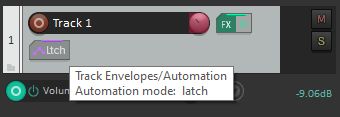
-
Tick ‘Active’ checkbox (the one of the left). If deactivating, you might also need to uncheck ‘Visible’ to hide the row
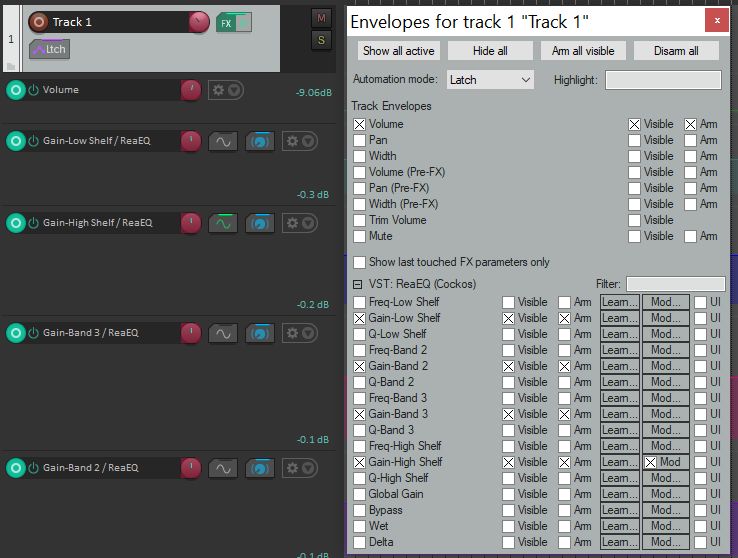
-
There are little “learn” buttons in the Select Envelopes popup, otherwise click the MIDI Learn button on the track
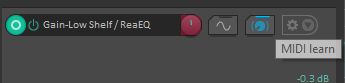
-
Move MIDI controller, then click OK
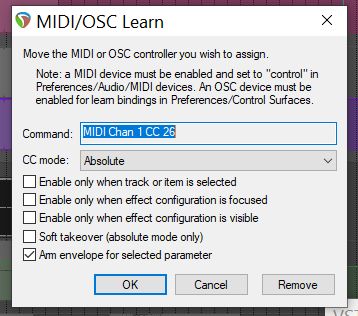


For non-FX things like volume and panning, can use the View Actions menu, select the action (for example “Set volume for track 1”), and click Add to add a control.
See all tags.